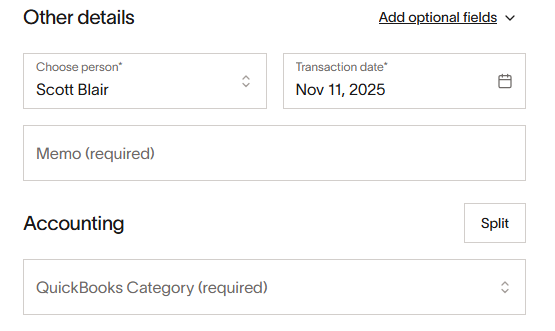
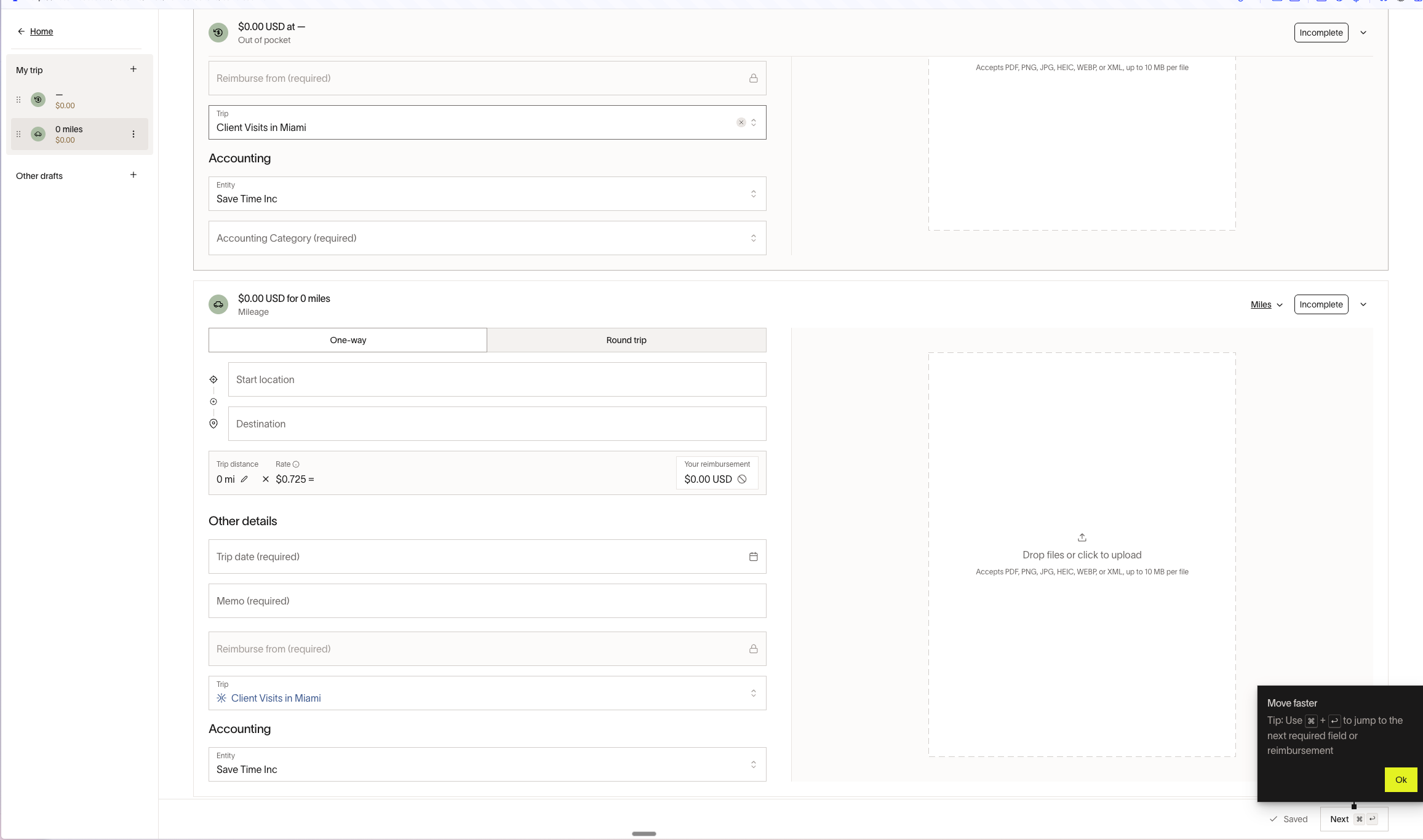
I noticed a new “improvement” that when editing reimbursement expenses the Trip field is hidden under “Add Optional Fields”.
PLEASE DON’T DO THIS! I have over a hundred expenses from a 6 week long trip to edit and am wasting 2 button clicks on every single one because I have to hit the “Add Optional Fields” and then hit the “Trip” button to add the field.
Just leave the fields in the form and make them non-required. Or, if you really want the sleekness then make it a user preference. But EVERY expense I have is tied to a trip so this is getting extremely tedious for every expense…
Jerry from the engineering team here. Sorry to hear you’re having a frustrating experience. This is an intentional decision we’ve made to reduce the clutter on the reimbursement form. It seems like “Trip” is an implicit requirement in your expenses, despite it not being formally part of your expense policy.
Finally, if you’d still like to keep this field optional and modify them easily, I’d suggest:
Using reimbursement bulk submission if your business is subscribed to Ramp Plus, if you have a group of reimbursements, clicking “Add optional fields → trip” then selecting a trip will propagate that selected trip to the rest of the reimbursements in the group.
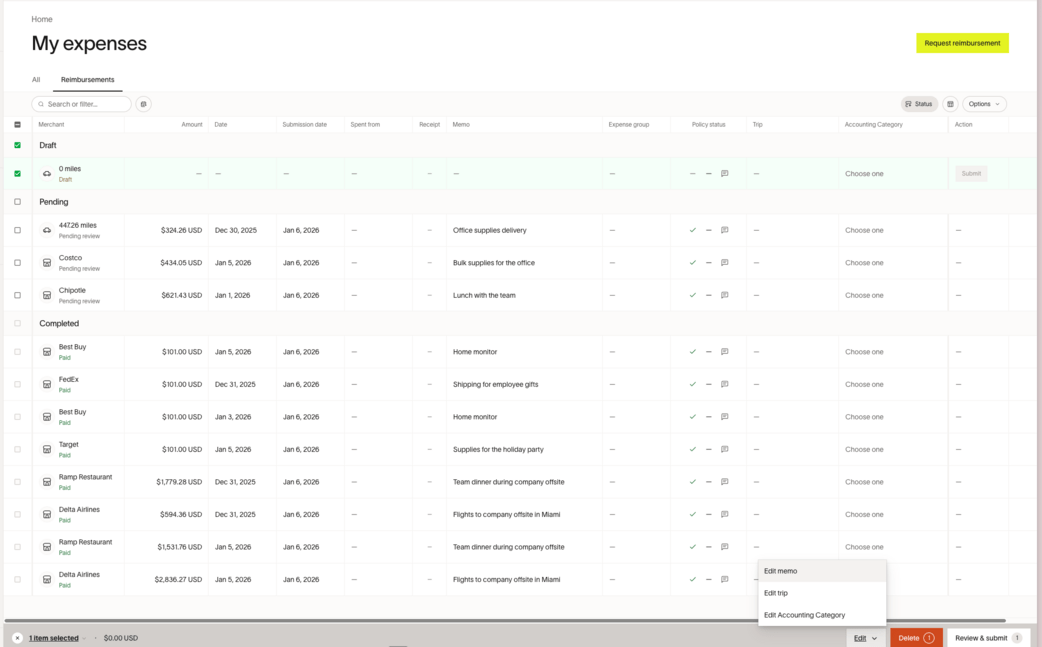
Selecting draft reimbursements in “My Expenses > Reimbursements” and selecting the draft reimbursements, then clicking “Edit > Trip” on the bottom toolbar.
Thanks for the response Jerry. The last answer you gave for bulk editing is probably the most usable of them.
To be clear though, there are a LOT of choices throughout the UI that make Ramp a generally frustrating and often confusing experience even after using it for quite a while. There is so much overloading of terminology even in the main navigation that just add confusion and routinely make me have to hunt around again to remember where things are hidden.
Forcing Trips to be required as an all or nothing just isn’t the right answer most of the time. Some of us, like me, travel a LOT and Trips are absolutely a requirement in reimbursements for tracking expenses, making it easy for me to spot if I missed an expense on a given trip before submitting, as well as being able to group expenses for client billing related to a trip. We have plenty of people in the company that don’t travel but do have routine out of pocket expenses or monthly cell phone bills that it doesn’t make sense to put into a Trip. If you used more generic terminology such as an “Expense Report” then that would make more sense to require globally in our company in the same way most other expense systems work. But suggesting to further mis-use the “Trip” functionality isn’t the right answer.
Where Ramp is significantly lacking is in USER CONFIGURABLE options. People work differently, their expense and travel usage is different. Having some configurable options such as whether trips always appear whether they are required or not would be helpful.
There are way way too many wasted button clicks in Ramp that just aren’t necessary. It is a product that feels like it is specified and coded mostly by people that don’t actually do much travel. Even just the subtle details show this (especially in the mobile app!).
I don’t know what kind of program you have for routine feedback and discussion/brainstorming about how the platform could be more user-friendly and more powerful but as a software engineer and product manager I’d certainly be happy to contribute. I feel like any feedback you are getting currently is mostly from the Accounting side and not from actual end-users…
Regarding trip optionality - this can be alleviated by setting up an expense policy that’s condition on which fund you’re spending from. For example, if you travel infrequently, but those travel expenses are for client visits, it may make sense for your admin to set up a “Client Visits” fund that requires trip. Then, for your general expenses, trip can remain optional.
Regarding customization -we at Ramp are always trying to simplify the user experience but I totally hear your frustration. Thank you again for taking your time to express your suggestions and being a Ramp customer, truly! I’d love to book some time together to discuss your other concerns such as overloaded terminology, navigation issues, and useless clicks. I will reach out to our community manager to see if we can get in touch!
To be clear, we are only using Ramp for expense reimbursements. We aren’t actually using the Ramp card or other funding mechanisms or travel booking. Everything is done as a reimbursement for our personal credit cards.
So the workflow is me scanning receipts with the app or forwarding to reimbursements@ and then going on the web and assigning all the other metadata before submitting.
I’d be happy to do a call and go through things in more detail together.
We have had similar issues with trips and the lack of customization with how they are applied. Our issues have mostly been Ramp automatically adding the incorrect trip to expenses. Our employees remove the trip and either add the correct option or leave it blank. As the expense is updated and goes through the approval process Ramp will re-add the incorrect trip. It has become a huge time waste for everyone on the team and in my previous conversations with Ramp there does not seem to be a fix or a timeline for addressing the issue.