We frequently need to be able to download expenses for a trip for a client.
In Expensify I had two options (well more, but these were the most used two):
Download an expense report that had all the details in it along with receipt thumbnails into a PDF. Great for being able to simply share outside the company.
Export CSV that had links to download full resolution image that anyone could access. Great when needing to provide data in a specific format.
Extra Credit option would have been a single download zip with CSV and all raw receipts zipped into it already.
So far after spending 15 minutes hunting through the UI I found where I can download the CSV for a trip, but it does not include the receipts.
How do I simply download all the receipts for a trip? I imagine it has to be an option, but can’t find it in the logical places…
Scott,
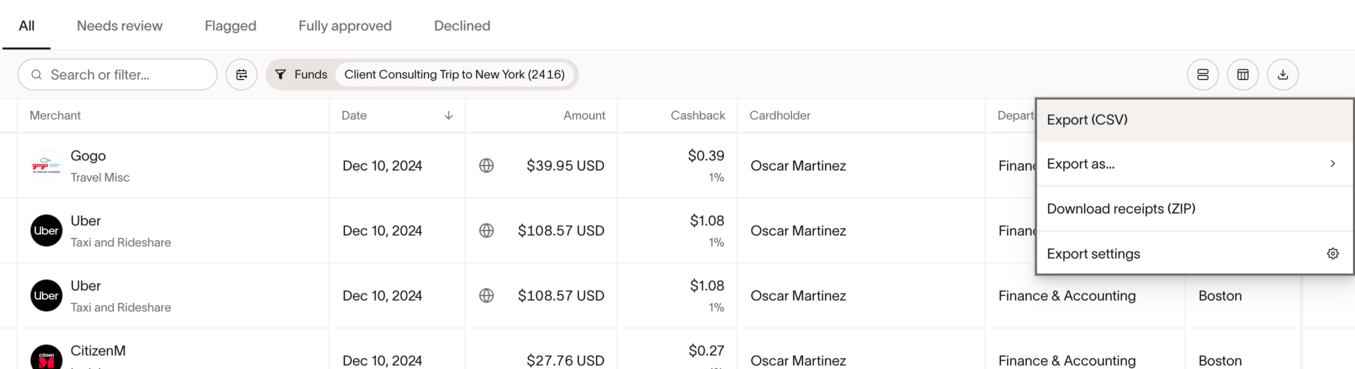
We have the same requirement and have previously added this request to the Community. Receipts in trips can be downloaded as a zip file but only from Expenses/CardTransactions, grouping by trip or cardholder, and filtering for the dates or the user. You will see the download function has a “Download receipts ZIP” option. There are limitations even with this. For example, trip expense receipts and reimbursements are separate.
Bottom line it can be done, but the number of group, filter, select, etc is excessive and really has to be done trip by trip. I would love to see some basis UX improvement here because it takes far too long. From an accounting and client invoicing perspective it was easier when the employees had to file expense reports…which defeats the purpose of Ramp!
I’m exclusively using Reimbursements but even doing all the filtering you suggest I still don’t get an option. Clearly an area that can use some basic improvements.
Agreed the receipts export needs improvement. Would really love to see an option to filter by “Payment date”. Not all receipts for us have a Trip or Expense Group attached, and transaction month doesn’t always align with payment month.
I’m coming off a 6 week client trip and have $25k in expenses I need to submit to them for reimbursement and can not find ANY reliable way to export the information for us to submit to them. With Expensify this was a BREEZE!
The only thing I have found is drilling into Reporting → Spending by Person → Filter by Trip ->Export.
However the data it exports is completely FLAWED and does NOT MATCH what is in Ramp. i.e. many Merchant/Vendor entries and Memo lines showing as blank when they are clearly present in Ramp UI. It is so flawed that I can’t trust ANY of the data it gives me…and even then it still does not give me receipt images we can submit.
My name is Jake, I’m one of the engineers on the travel team. While you were on your trip, were you able to get your expenses associated with a trip? If so, you should be able to export them from the “My trips” page.
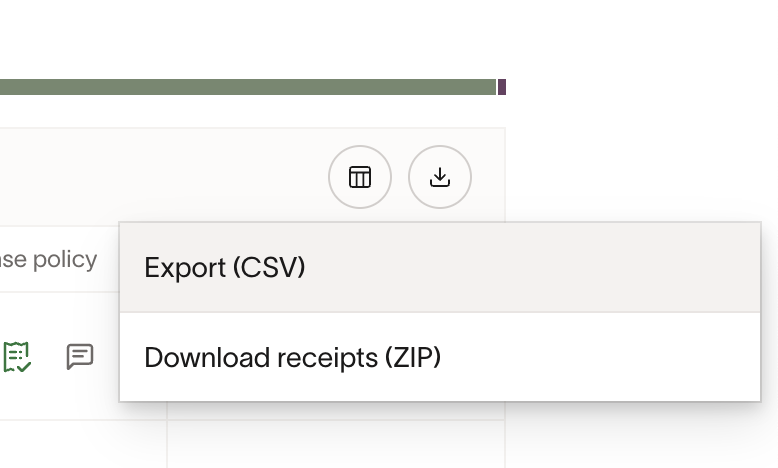
From there, click in to your trip, and you should see a list of expenses at the bottom. You can click on the little “Download” icon at the upper-right hand side of the table to download a CSV / ZIP of your receipts:
To be clear, everything is being done as Reimbursements. We aren’t booking the travel through Ramp or using a Ramp card. So I need to be able to export all the “Reimbursement” items for trips.
We are a new customer and I am concerned seeing that RAMP does not have the ability to download receipts in a group. There is a reason why your competitor Expensify does this. This is standard practice. Why would you made processing someone’s expense report so simple when it comes to coding the transactions but then make the receipt process actually slower than a paper based system where you can scan in everything together and attach it to the transaction in your accounting system. Please make this a priority.
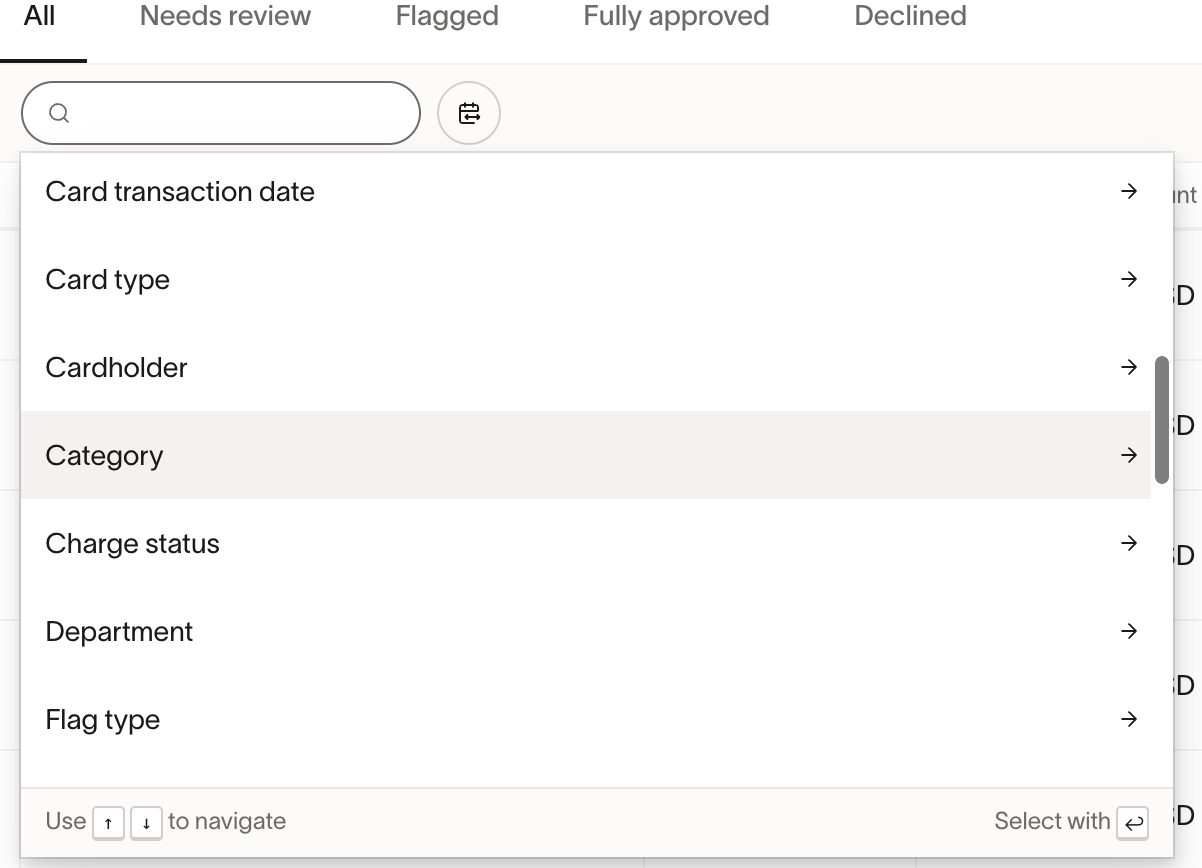
Hi David! If I understand correctly, Ramp does offer the ability to download receipts in bulk. You can download receipts in bulk by going to the “Expenses” tab, selecting either “Transactions” or “Reimbursements,” and downloading. You can filter by trip, cardholder, department, etc. (examples below), and download the results by those groups.
It all seems pretty broken. I would include screenshots to illustrate but it takes days every time I include one for the post to get approved and our client billing needs can’t wait that long.
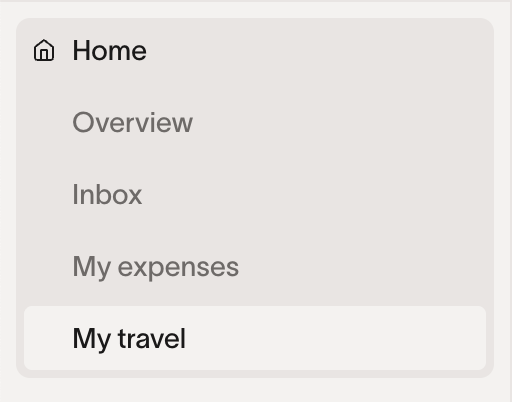
As shown by the previous screen shot I sent “My Travel” wasn’t showing up, but it is now…(?).
In “My Travel”, selecting a trip does indeed give me CSV and Receipts download options. Downloading the CSV includes numerous items from OTHER trips (so the data can’t be trusted and I don’t have time to hand reconcile over 50 items). Downloading the Receipts gives me an EMPTY zip folder every single time.
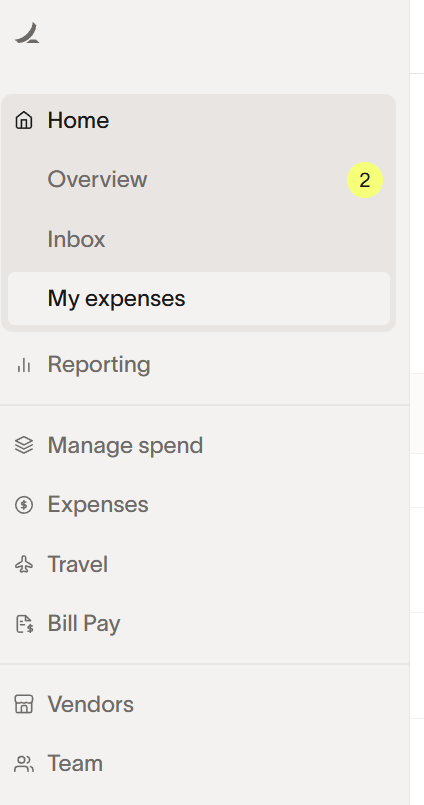
Going under “My Expenses” as you showed only gives me the download options on “All”. The download options do not exist if you have created any saved filters, only when using direct filtering on the “All” tab. This inconsistency in UX design is extremely confusing. Downloading receipts gives an empty zip file.
Reporting → Spending by Person → Filter by Trip ->Export as I noted before gives completely broken CSV results and no option to download reciepts.
Why is there such inconsistent UI/UX everywhere?
When the filter is set to the same thing when exporting the same trip data between #2 and #3 do I get completely different results? Yes, the data formatting is different, but the actual transactions of what is included and fields that are left blank are different.
Honestly, it feels like there is a serious lack of QA at Ramp and a lack of cohesive UI/UX design that I spend far more time than I should hunting for edge cases to allow me to export ACCURATE data. The data I am able to actually export, I’m finding I can’t trust because in the most cursory review I can see significant errors in it.
Scott, thank you. I spoke with Jake from the Engineering team earlier, and he confirmed that you were added to the Alpha group – which is why you’re now seeing “My Travel.” It looks like you’ve uncovered a bug in the Alpha version. The team expects to have a fix ready within the next week or so, and will follow up once it’s resolved.
For the empty receipt downloads, it’s likely best to submit a Support Ticket. While we try to help where we can, our Support team is best equipped to troubleshoot issues tied to your specific account (I can’t look at your actual account).
For the Reporting piece, I will voice this to our Reporting team.
I’ll also introduce you via email to your new Account Manager, Amelia – she’s a great resource for anything related to the specifics of what you see in your account, too!
Thanks again for your patience and the helpful feedback on our UX design.