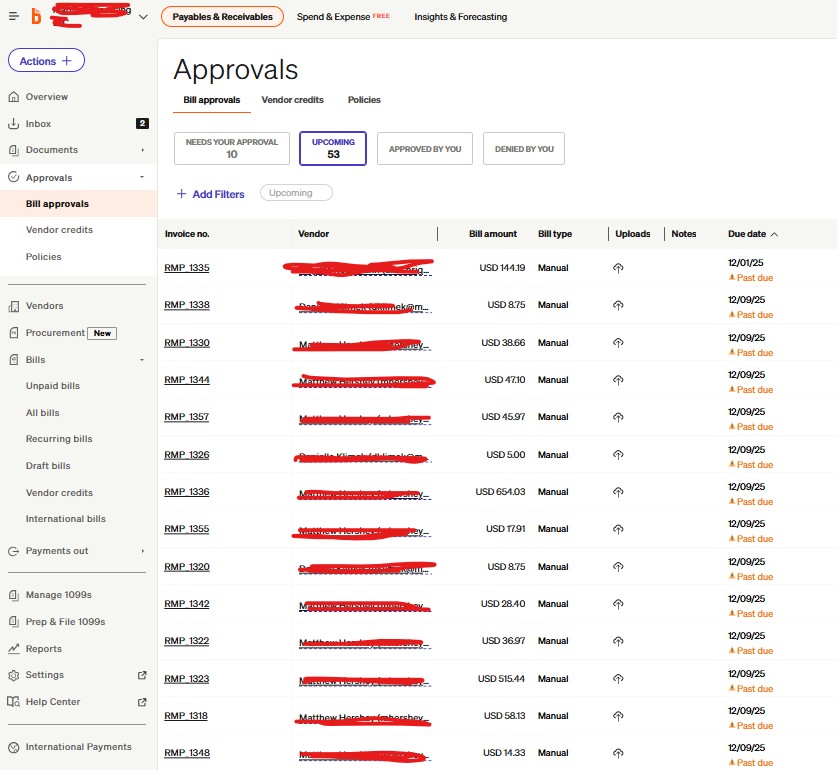
Hi all! For background, we use Ramp for our credit card transactions & employee expense reimbursements. Today, we sank all of our December Ramp employee expense reimbursements to our GL system, Sage Intacct, like normal. We than ran a sync between our bill pay software Bill.com and Sage Intacct, and we noticed that all of our Ramp employee expense reimbursements were created as individual bills in Bill.com (screenshot of Bill.com Approvals screen attached as reference)
This is the first time this happened to us, so we were curious if anybody else who also uses Bill.com ran into a similar situation recently? I’m also curious if there’s been any changes made in recently on the Ramp side with the way the employee expense reimbursements sync over to Sage Intacct? We
Super bizarre, so just trying to locate where the epicenter of this is so we can avoid having this happen every time we run our syncs between the 3 softwares. Thank you in advance for any guidance/insight!
I actually found the reason why this occurred and wanted to share it with the community in case another member runs into a similar situation! Short answer is that it was a timing issue. We ran the sync of our December employee expense reimbursements from Ramp to Sage, which creates Bills in Sage in the “posted” state. There was a 5-10 minute window until the newly created bills went from the “posted” state to the “paid” state in Sage. In that 5-10 minute window, we also ran a sync from Bill.com to Sage- which caused the Ramp December employee expense reimbursements (newly posted bills in Sage) to then be created as individual bills in Bill.com (which is a real pain because there’s no "mass delete’ option, you have to delete one-by-one).
The guidance that was given to us was to wait until the bills in Sage are confirmed in the “paid” state before running a sync from Bill.com to Sage, to avoid this from happening again. I asked what causes the 5-10 minute delay, but didn’t get a solid answer.
Just to confirm my question in my initial post, nothing changed from the Ramp side- it was caused by a timing issue of syncs initiated by us, the user!
 – Appreciate you!!